Once you have been accepted to Suffolk, you can create your student account. This will give you a username that you will use to log into PC/Mac computers on campus as well as to access Suffolk systems on and off campus. You will also need to create a secure password for your college account.
You will need your student ID number, which was provided to you by Admissions when you were accepted.

Watch the video above on Creating a Username and Password for detailed instructions or follow these steps:
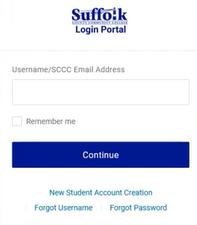
1. Go to the College homepage at sunysuffolk.edu and click Login, or go directly to sunysuffolk.edu/login

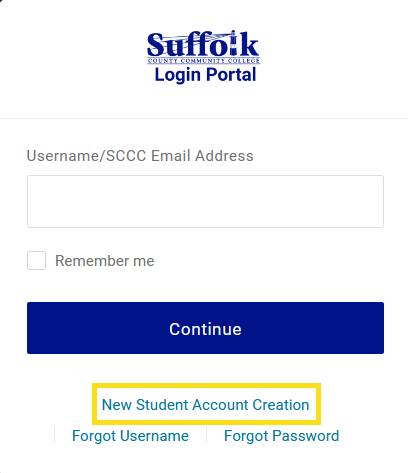
2. Click on New Student Account Creation
3. Enter your ID (provided by Admissions with acceptance) or SSN and Date of Birth
in the specified format 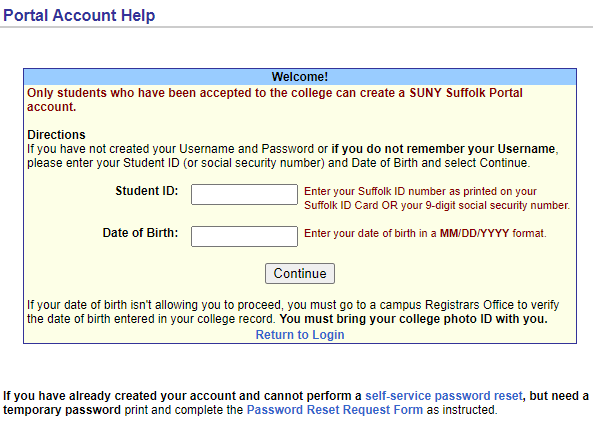
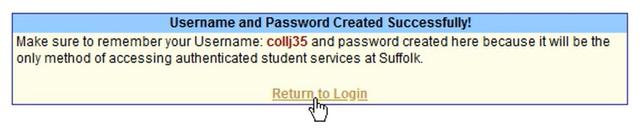
4. You will be provided with your Suffolk username, make sure to remember it. You will be prompted to create your password. For security reasons, it is advised that you create a unique password for your college account, preferably 12 or more characters long, and do not use it for other systems.
5. Once you create your Suffolk account, click on Return to Login and use your credentials (username and password) to set up your Multi-Factor Authentication methods.